

What is MCP?
What is MCP?
Around Thanksgiving 2024, Anthropic announced “Model Context Protocol”. MCP has caught fire in 2025 because, now, we aren’t satisfied with AI just telling us how to do things… We want AI to do those things for us.
MCP is a shared language between an AI agent (MCP client) and every external service it might need to use (MCP Servers).
AI Agents need context just like you do
Think about applying to colleges. It’s a deceptively complicated task. You’ve got a bunch of tabs open: four Google docs with your essays, the Common App, individual university portals. Then you’ve got Reddit threads for application tips. Comparing tuition and cost-of-attendance pages, while also checking the list of requirements for each scholarship. At any given moment, a dozen tabs are feeding just enough context to your brain to make the next step confidently.
Now imagine an AI agent trying to do that same job for you. Large language models are highly knowledgeable and reason pretty well: they can weigh trade-offs, summarize reviews, and optimize schedules. But without reliable, fast access to those “tabs”, they get bogged down and hallucinate without being able to complete real actions for you. Today, we hack together some access to the world through brittle tool calling, one-off integrations, or AI web browsing. It works for demos, but fails to generalize and be performant enough for most workflows.
Enter Model Context Protocol (MCP). MCP gives agents direct access to each of those “tabs” (services) to 1) pull data into its context and 2) perform actions on the service. In short, MCP is the missing bridge between raw AI intelligence and the practical workflows that will actually 1000x our productivity.
But what exactly is “Model Context Protocol”?
MCP is the standardized format that MCP servers use to tell MCP clients what info they can provide and what actions they can do.
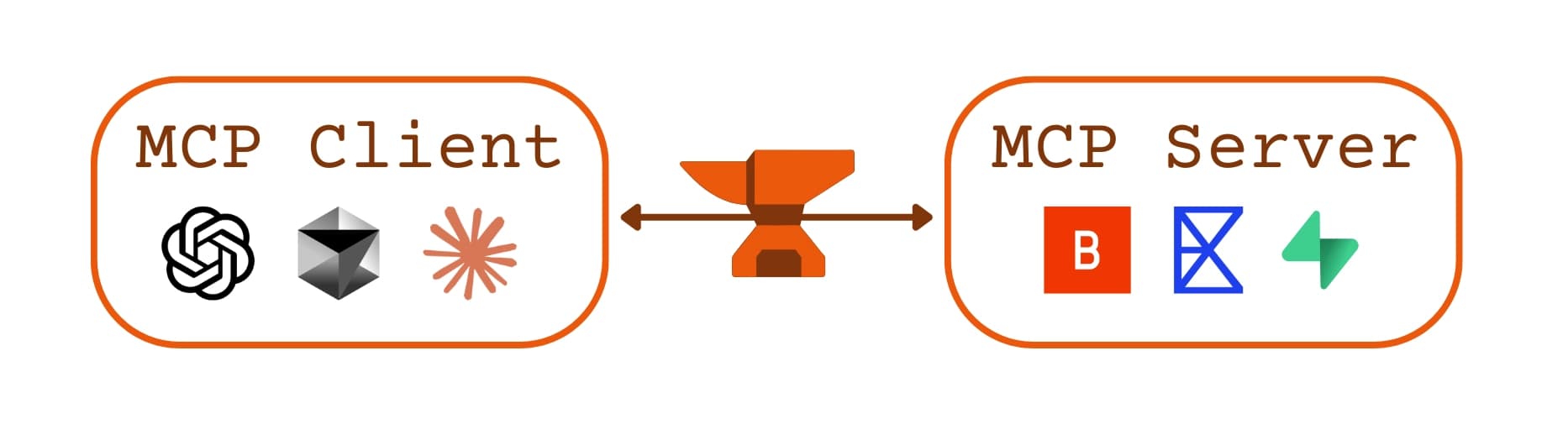
We have two sides of an MCP interaction:
- MCP Server: lives on top of the underlying service or database. Its responsibility is to supply the context an agent needs (using its “resources”) and/or to carry out requested actions (its tools). Each server shows the client its schema: a single, easy-to-read JSON description of itself.
- MCP Client: The LLM is the client. A chat on ChatGPT, Claude, Cursor, or your own product’s LLM can all be MCP Clients. It looks at available servers, reads their schemas, requests short-lived permission tokens, and forwards the agent’s chosen actions to the right server.
MCP Server Schema
Instead of forcing the agent to memorize a huge list of hardcoded tools (“tool-calling” or “function-calling”) or scrape web pages, MCP asks each MCP server to publish a schema: a JSON description of its capabilities. The schema is like the MCP’s resume, and the MCP client reads it to decide if that server is right for the job.
The MCP Server schema spells out three things:
- Resources: chunks of data the MCP Server can give to the agent (for a travel site that might be “hotel availability” or “room reviews”).
- Tools – actions the MCP server can perform for our agent (such as “book a room” or “cancel a reservation”).
- Prompts – a list of pre-defined actions that the MCP server can take for the agent. But unlike a tool, it defines higher-level tasks. It tells the model: “Here’s what I can do, here’s what you need to give me, and here’s what I’ll return” (i.e. “I need a check-in and check-out date and then I can book the room”).
Because this description, or schema, is written in plain JSON, any agent can fetch it and immediately understand what that MCP server is capable of—no custom SDKs, no hand-crafted prompts. When the agent receives a user request—“Book me a hotel near the Louvre”—the MCP client asks, “Which of my MCP servers knows about hotels?” The client reads its servers’ schemas, sees a bookHotel tool, requests the permission it needs, and fires off the call to that MCP server.
So why is it a game changer?
| MCP | Function Calling + Old‑School APIs | |
|---|---|---|
| What it is | One self‑contained JSON “menu” that tells the agent what it can read or do. | A bunch of separate REST endpoints the agent must already know. |
| Adding a new tool | Publish a new menu entry → agent can use it right away. | Build the endpoint and update client code. |
| How the agent finds tools | Asks, “Who can help?”—servers reply with their menu at run time. | Routes are hard‑wired in code or an API gateway. |
| Integration code needed? | Almost none | Lots. SDKs, request builders, validation, retries. |
| Best when | You want an LLM to discover and chain tools on the fly. | You already have reliable, hand‑coded integrations. |
- Natural‑language friendly. The client can translate a user’s request into exactly the tool call your backend expects.
- An entirely new platform. MCP opens the door for truly AI‑native software where agents are the sole users, not humans. AI‑native software doesn’t need UI/UX. Developers will create use cases that we can’t even imagine today.
- No integration code. You can make a new service, publish an MCP server for it, and any MCP client can use your service without any additional integration code. They just have to hit “add MCP server” and paste in your server’s JSON definition block, which would look something like this:
{
  "mcpServers": {
    "exa": {
      "command": "npx",
      "args": [
        "-y",
        "smithery@latest",
        "run",
        "exa",
        "--key",
        "<sensitive-auto-generated-smithery-key>",
        "--profile",
        "<auto-generated-smithery-profile>"
      ]
    }
  }
}
What does MCP look like in action?
Imagine a startup founder trying to think of a name for their new startup. To see if their name idea is viable, they are jumping around from godaddy.com to the USPTO website to various state business filing websites, and finally checking Instagram and X handles. Instead, what if there were an MCP that checked all these things for the user in one LLM prompt?
- Resource: a simple endpoint that tells the client which social‑media platforms it can check (so it knows the exact strings to pass when asking for handle status).
- Tools:
- isDomainAvailable: Checks if "pixeltree.com" is available
- getHandleStatus: Checks if the @pixeltree handle is taken on the desired social media platforms.
- checkUSPTO and checkStateBusinessRegistry: Check if the name PixelTree collides with any federal trademarks or state registered businesses in a similar industry.
- Prompt: a single, reusable template called check‑startup‑name that bundles the whole sequence. The user invokes the prompt, fills in name, platforms, and state codes, and the client automatically chains all the tool calls.
Below is a representative snippet of the StartupNamingMCP schema that implements those pieces.
// ---------- 1. Resource ----------
{
 "uriTemplate": "startup://supported-platforms",
 "name": "supported-platforms",
 "title": "Supported Social Platforms",
 "description": "Lists social sites that can be checked for handle availability",
 "mimeType": "application/json"
}

// ---------- 2. Tools ----------
{
 "name": "isDomainAvailable",
 "description": "Check if a domain is registered",
 "inputSchema": {
   "type": "object",
   "properties": {
     "domain": { "type": "string", "description": "e.g. pixeltree.com" }
   },
   "required": ["domain"]
 }
},
{
 "name": "checkUSPTO",
 "description": "Search the USPTO trademark database for identical or similar marks",
 "inputSchema": {
   "type": "object",
   "properties": {
     "name": { "type": "string", "description": "Proposed business name" },
     "goodsServices": {
       "type": "string",
       "description": "Optional goods/services class code"
     }
   },
   "required": ["name"]
 }
},
{
 "name": "checkStateBusinessRegistry",
 "description": "Look up state business registries for existing entities",
 "inputSchema": {
   "type": "object",
   "properties": {
     "name": { "type": "string", "description": "Proposed business name" },
     "stateCode": { "type": "string", "description": "Two-letter state code" }
   },
   "required": ["name", "stateCode"]
 }
},
{
 "name": "getHandleStatus",
 "description": "See if a social-media handle is taken",
 "inputSchema": {
   "type": "object",
   "properties": {
     "handle":   { "type": "string", "description": "Desired handle text" },
     "platform": { "type": "string",
                   "description": "One value from supported-platforms" }
   },
   "required": ["handle", "platform"]
 }
}

// ---------- 3. Prompt ----------
{
 "name": "check-startup-name",
 "title": "Check startup name availability",
 "description": "Run domain, trademark, state-registry, and social-handle checks",
 "arguments": [
   { "name": "name", "type": "string", "required": true },
   {
     "name": "platforms",
     "type": "array",
     "items": { "type": "string" },
     "description": "Optional social platforms to check"
   },
   {
     "name": "stateCodes",
     "type": "array",
     "items": { "type": "string" },
     "description": "Optional list of U.S. state codes"
   }
 ]
}
MCP Invocation Flow:
- The user invokes /check-startup-name, enters “PixelTree”, selects X & Instagram, and picks CA & NY.
- The MCP client sequences the tool calls exactly as defined by the schema.
- The MCP server comes back with the results:
“Domain is available and there are no USPTO, NY, or CA filings that indicate another business with the same name. However, the Instagram and X handle @pixeltree is taken. @pixeltreeHQ is available on both platforms.”
Instead of tab hopping between six different websites, the founder gets a clear answer on the viability of their startup name in one message to their LLM.
Build your own. If you’re interested in building your own MCP Server, check out our 5‑minute quickstart guide here (Typescript). Building your server with Smithery has a few extra benefits:
- Smithery will show a tool playground on your server page, allowing users to discover and try your MCP online.
- Users can call your server without installing dependencies or be concerned about security.
- Smithery will rank hosted servers higher in our search results.
How we’re making MCP better at Smithery
Smithery is the best platform to build and deploy MCP servers that can reach thousands of users immediately. We’re on a mission to make MCP reliable, powerful, and ubiquitous.
For Users
- Better discovery. Our public directory lists every hosted server with the details that matter—monthly call volume, success rate, available tools, and a copy‑paste snippet for connecting from any MCP client. No digging through READMEs to see if a server does what you need or guessing if it will actually work.
- One credential for everything. Add an MCP server to Smithery once, and every client you use (Cursor, ChatGPT, Claude, etc.) can reach it with a single Smithery login. No need to repeat the setup for a dozen different servers. You can create different profiles and manage your API keys directly on Smithery.
- Keeping quality high. We want to host the most robust MCP servers available. We’re working on identifying when deployed servers aren’t up to MCP spec by linting the schema and flagging issues, so if something’s going awry in your server, you should know.
- Try out our no‑setup playground !
For Developers
- Skip the scaffolding. Spin up an MCP server with a single command . We generate the boilerplate, create the Express server, allow users to easily demo it, and keep it scaling as traffic grows. You focus on what your MCP server can do.
- High Observability. Improving your server is impossible if you don't know how it's performing. We’re building better analytics and logging that go beyond simple tool call counts. Starting with stats about where users are calling your MCP server from (claude, cursor, etc.), our goal is to give developers a clear picture of how their servers are acting in prod and where users are running into trouble.